Features
Depth when you need it. Simple when you don’t.
Guided mode walks an installer through seven steps, with a one-minute Quick room for simple jobs. The Full workspace opens every setting for the engineer.
Coverage
See the signal the audience will actually get.
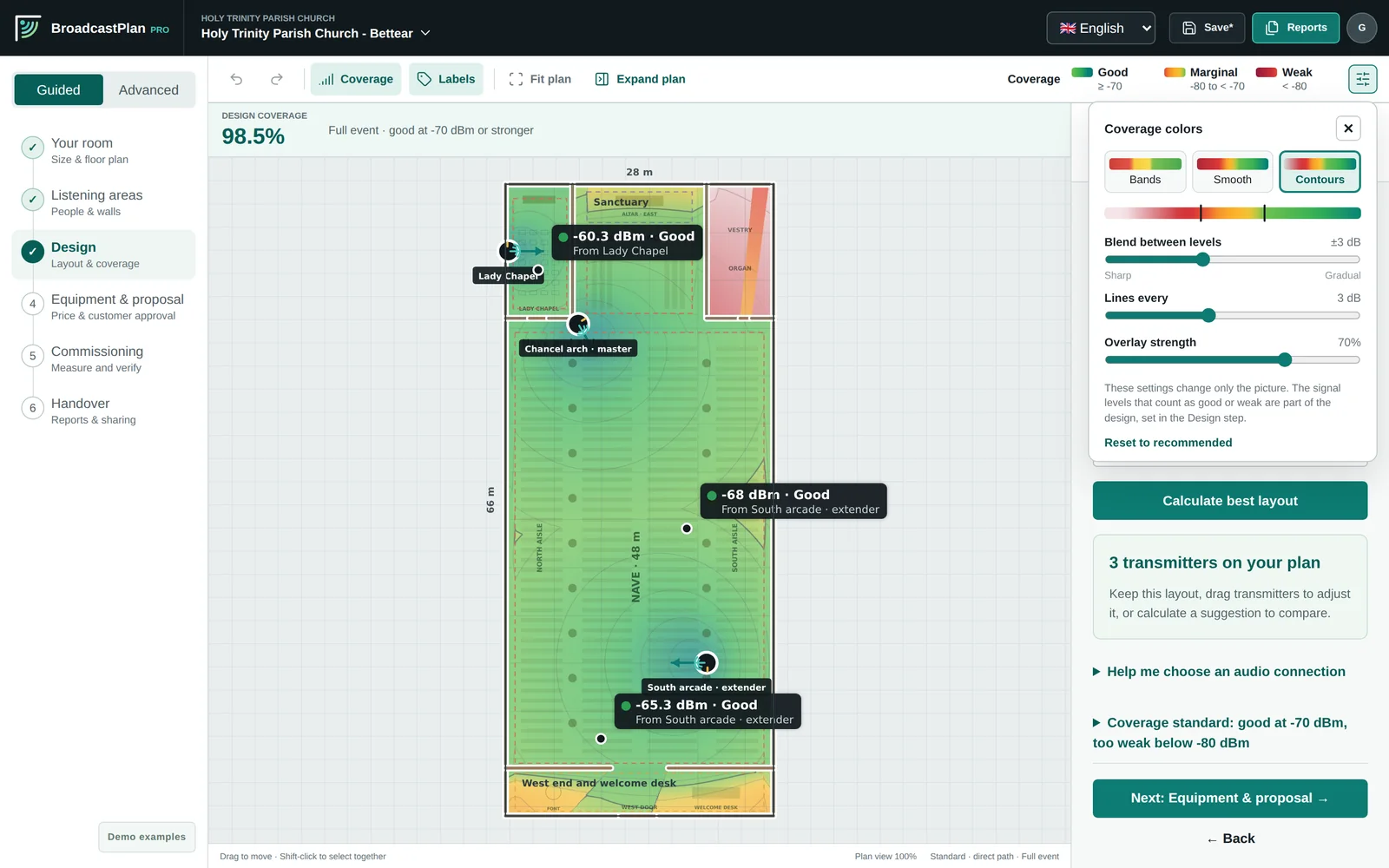
A published indoor propagation model, calibrated to manufacturer cell sizes, with walls, materials and crowd absorption included.
- Hover anywhere for the predicted level and the transmitter serving it
- Bands, smooth or contour views; the numbers never change
- Spill outside the walls, for neighbouring rooms
Design
The fewest transmitters that work.
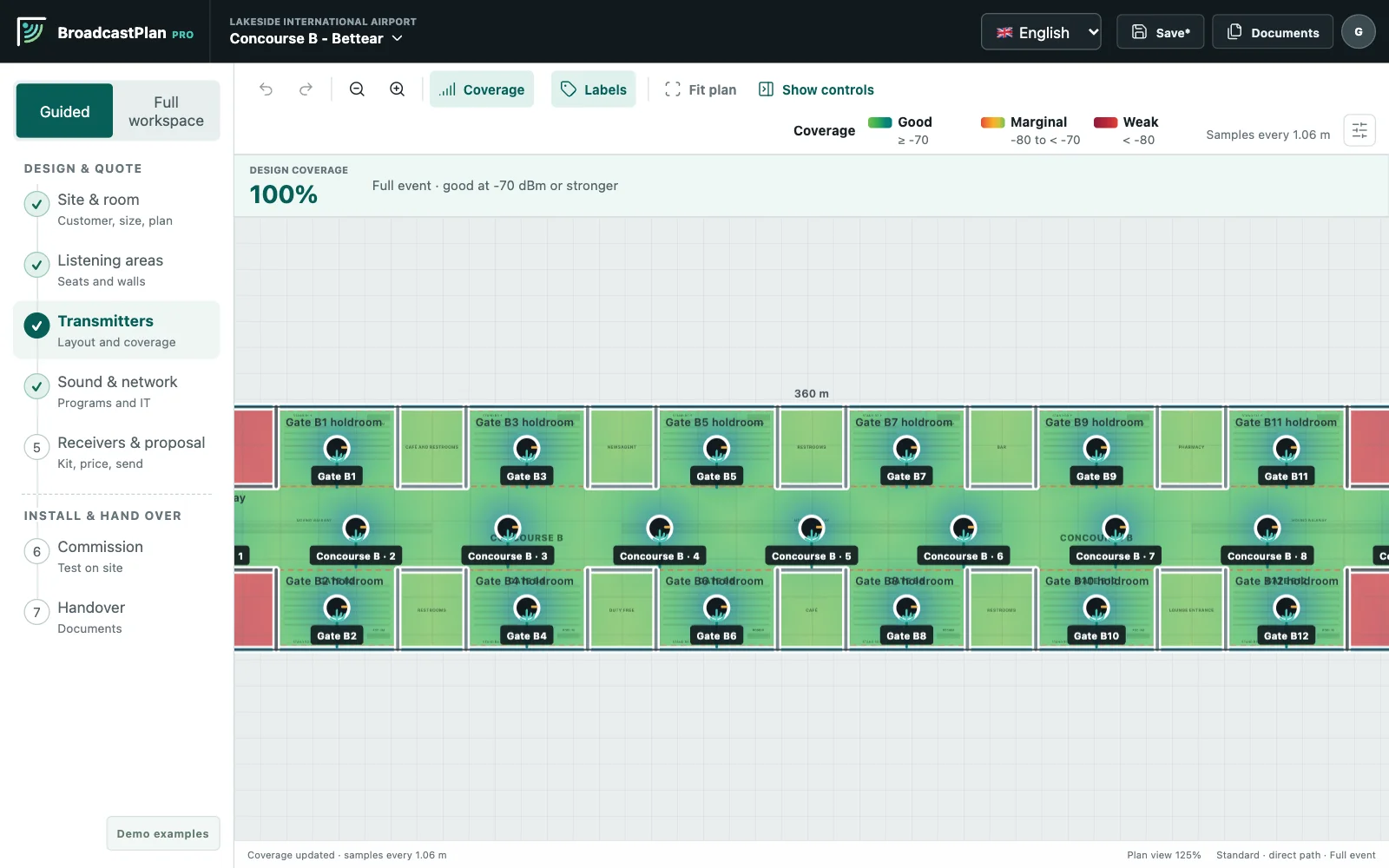
The planner adds transmitters where the signal is weakest until every listening area meets the coverage standard with a full room, then recommends the smallest layout that works. It scales from one room to an airport concourse: well beyond 16 transmitters, with every area and every broadcast checked on its own.
- Master and extender cells sharing one broadcast
- Separate broadcasts for separate rooms, languages or airport gates
- Ceiling, wall and post positions aimed at the seats
- Mounting height and orientation checked against field rules
Proposal
From plan to proposal in minutes.
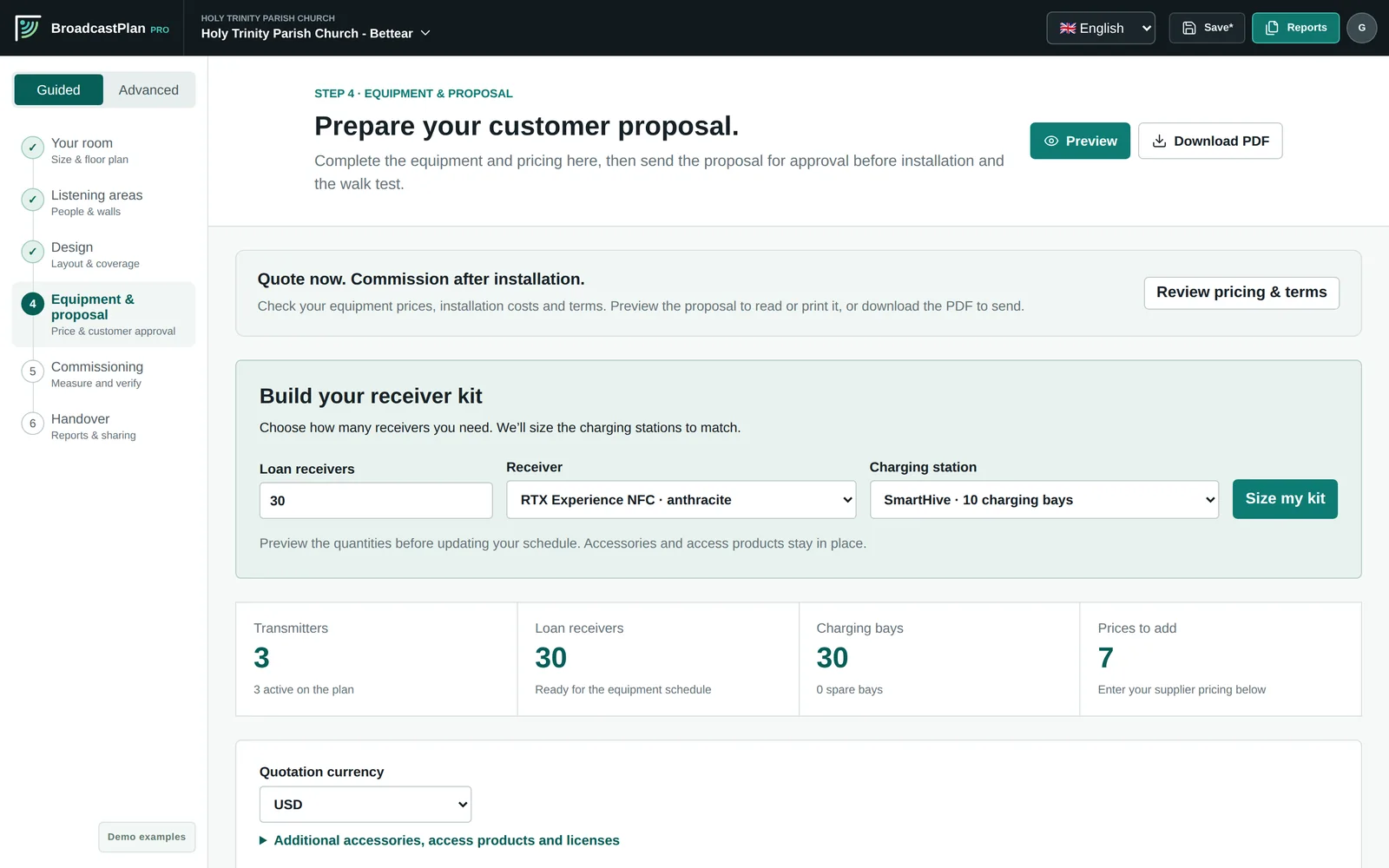
Equipment, receivers and charging sized to the venue, prices from your own price book, and a plain-language customer proposal with your logo, terms and a signature block.
- Order codes for supported equipment
- Receiver kit sized to the seats, with the US ADA minimum and neckloops for hearing-aid users
- Each sent revision kept, and a warning when the design changes afterwards
- A separate installer pack for the installation team
IT & network
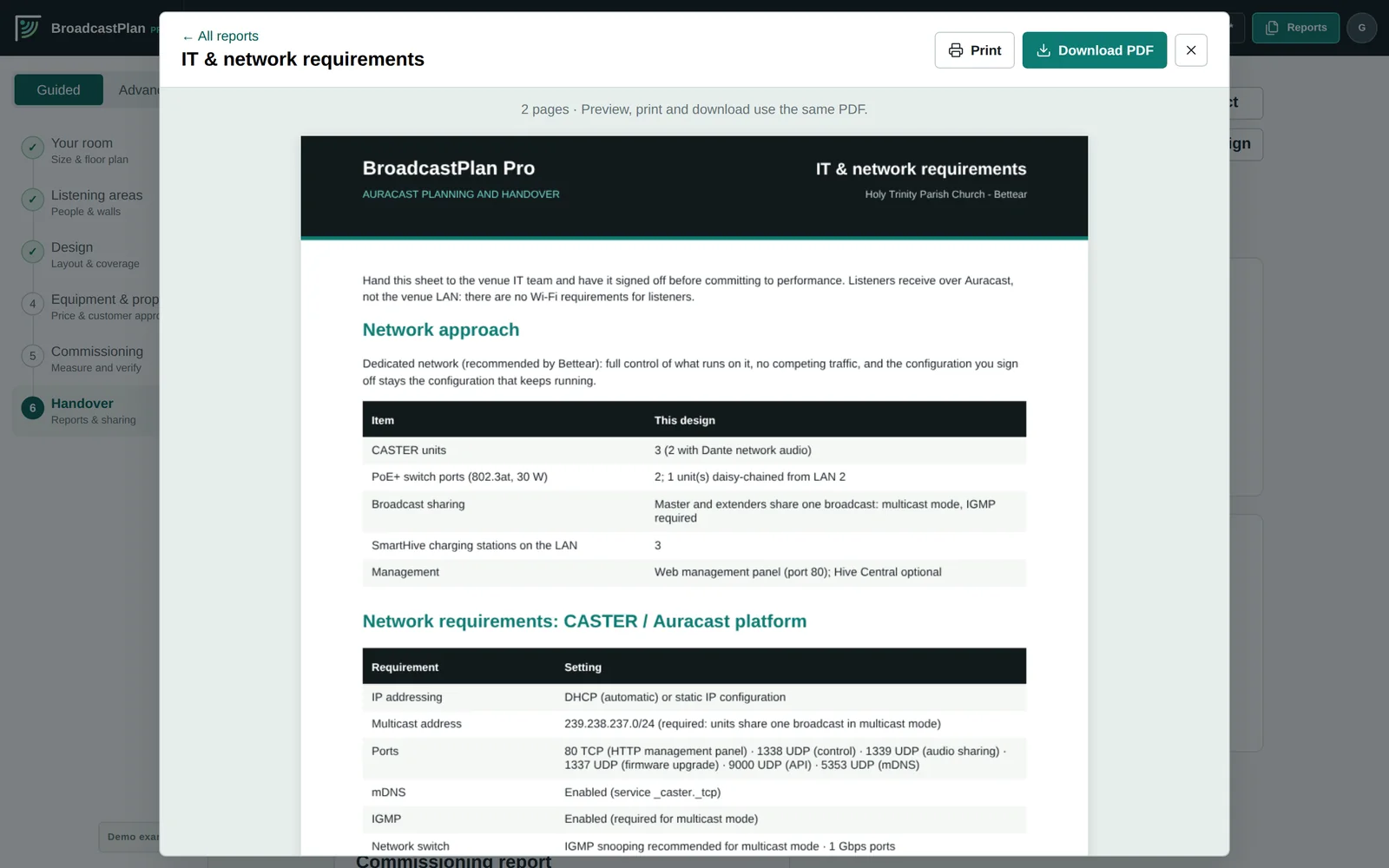
Tell the venue’s IT team exactly what to set up.
Ports, multicast, PoE budget, Dante settings and charging stations, generated from the design.
Audio feed
Good sound in, good sound out.
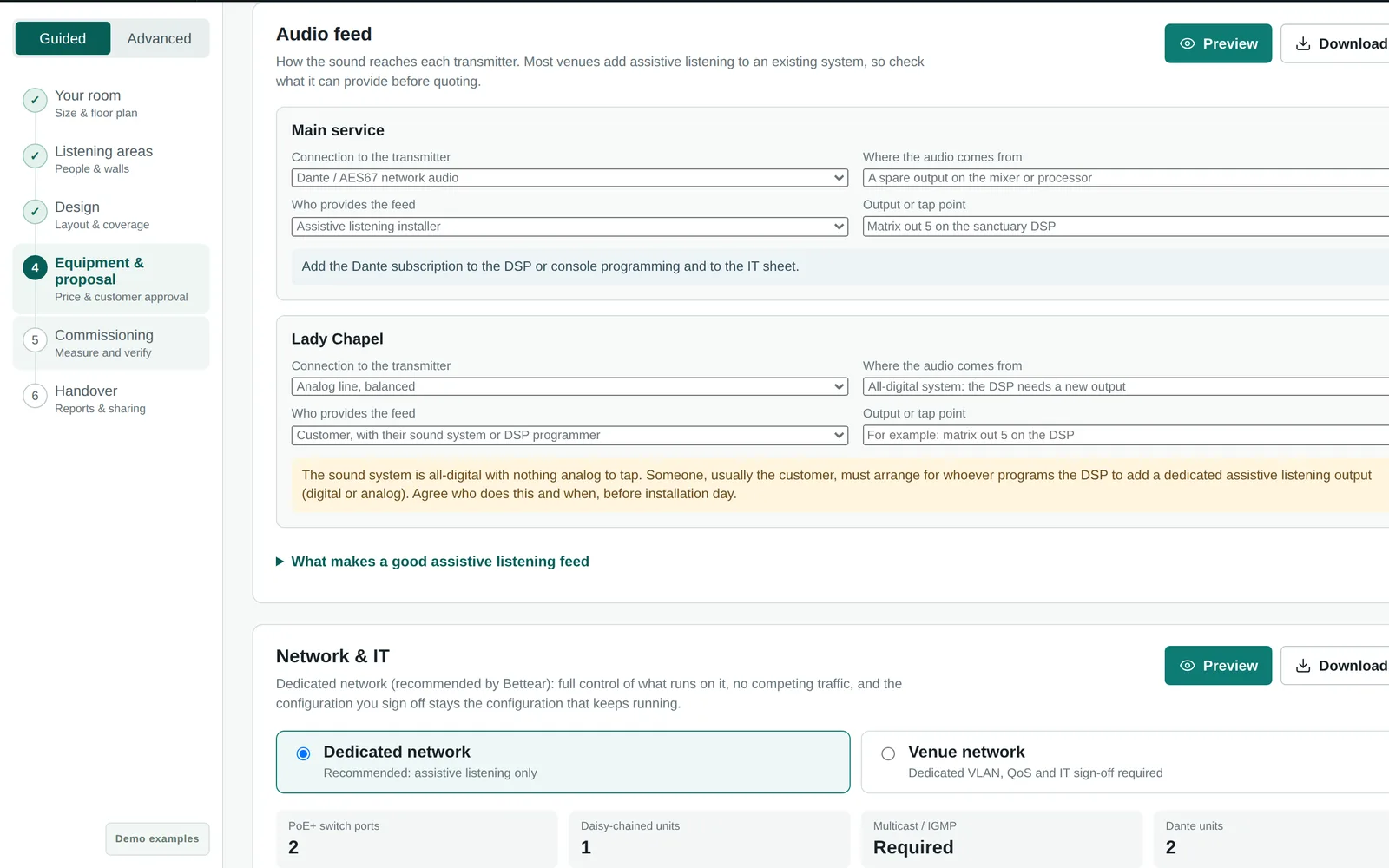
Most assistive listening goes into an existing sound system. Record how each program connects and where its audio comes from, and hand the sound system contact a clear audio feed sheet.
- Balanced or unbalanced analog, Dante, AES3, optical or USB
- Flags an all-digital system that needs a new DSP output, and who arranges it
- What a good feed needs: automatic gain, gated mics, no room EQ
Commissioning
Prove it on site.
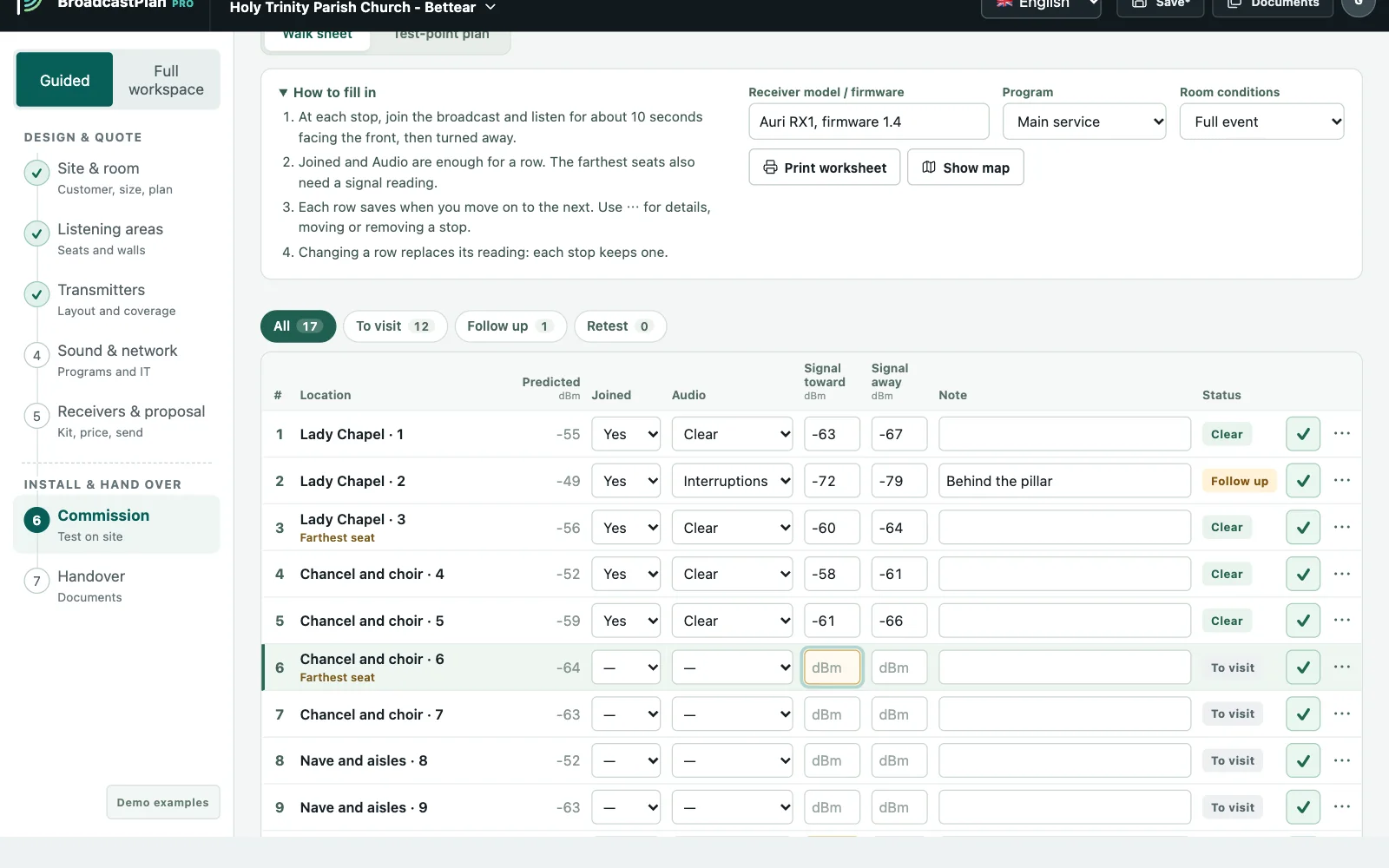
The walk sheet: one header with the instructions, then one row per stop for joining, listening and the signal level. Fewer clicks, less reading.
- Three sign-off checks: signal at target, a quiet band at the busiest hour and a real listening test
- One final result per stop: a retest replaces the reading
- Customer acceptance, and the details the Bluetooth SIG asks for to register the location
- A standards readiness record laid out under the IEC 63087:2026 assessment headings: a record, not a certificate (more)
Field Kit · in development
A receiver that sees what listeners hear.
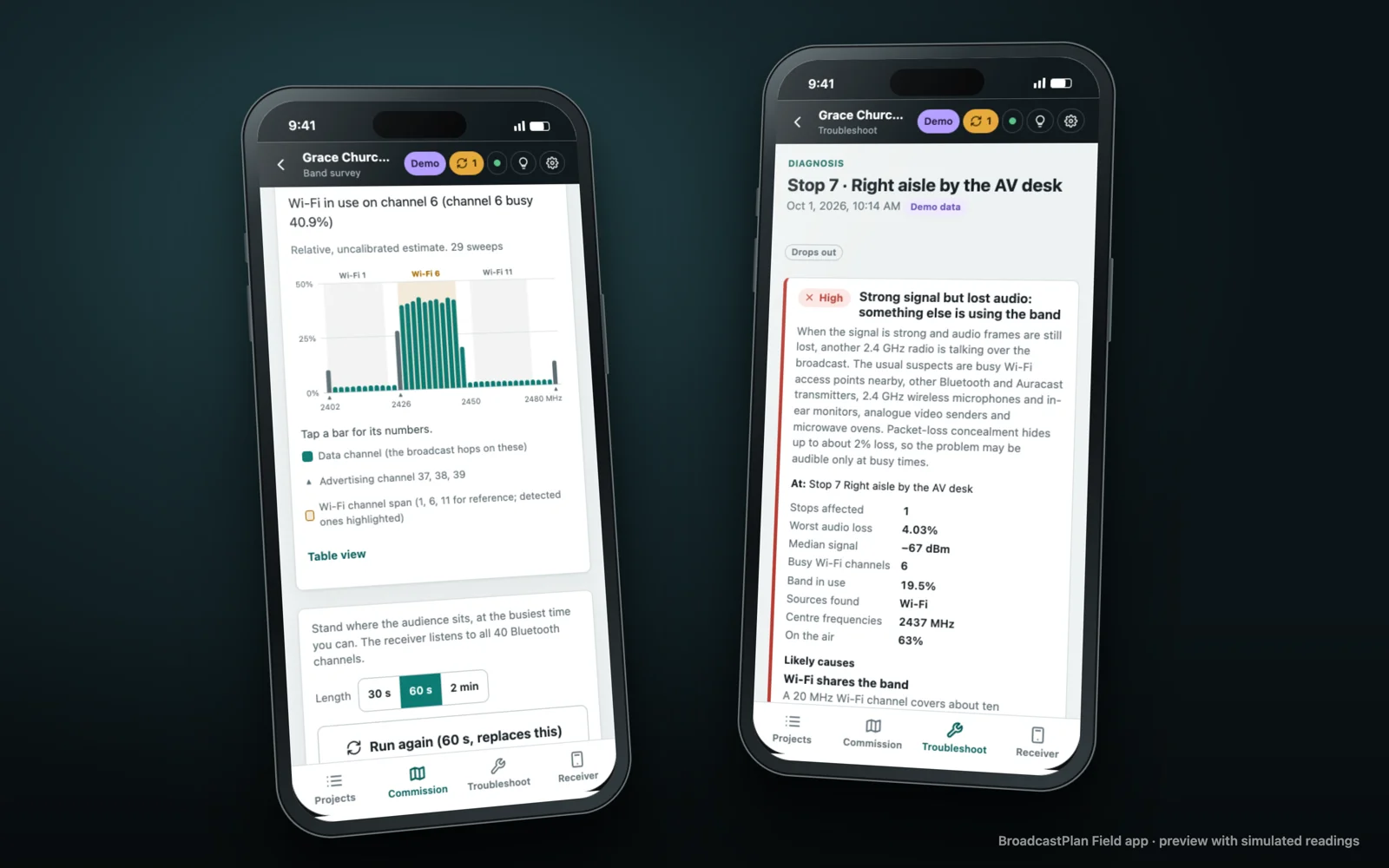
A phone app and a pocket receiver for commissioning and troubleshooting, tied to the BroadcastPlan Pro project.
- Checks what each transmitter really sends, and the fix when it is wrong
- Measures lost audio frames at each stop, with a confidence bound
- Surveys the 2.4 GHz band and ranks the likely causes of dropouts
Shown with simulated readings. The Field Receiver Lite and Field Analyzer Pro are prototypes and not yet for sale. Watch the previews
Everything else
Small things that save a site visit.
Your company on every proposal
Your logo, contact details, terms and exclusions, and a price book with your cost and selling price for each product. Set once, used by the whole team.
Accessibility minimums
The receiver kit starts from the US ADA table for the seats, with neckloops for hearing-aid users, signage and the exceptions. Canada, the UK and the EU get their own wording. You confirm what applies.
DXF and multi-page PDF import
Bring in CAD drawings with their layers mapped to walls and listening areas, or pick and rotate any page of a PDF. Frame the part of the sheet you are planning.
Schedule and CSV
Edit transmitters, listening areas and walls in a table, change many rows at once, and export or import them as CSV.
Join cards
Printable cards that tell listeners how to join each program, for seats, doors and the loan desk.
Optional AI assistant
Explains the design checks in plain words and points to the fix. Off unless your company turns it on, and the planner’s own calculations stay the only source of numbers. Optional, you stay in control.
AI-assisted tracing (optional)
Import a floor plan and the assistant drafts the walls for you to accept or reject one by one. Nothing is added until you accept it.
Easy wall tracing
Points snap to corners and existing walls; choose the material as you draw.
Regional power limits
FCC, ISED and ETSI limits applied from the installer’s region, with CASTER planned at its 10 dBm European specification in Europe and the UK.
Your preferences, filled in for you
Your name, country, units and usual receiver fill in every new project and walk test. Compact tips hide the explanations once you know the steps.
Four languages
The planner and every document in English, French, German or Hebrew. More languages on request.
Equipment from many makers
Bettear built in, with Auri, Williams AV, OPUS, Venucast and more being added.
Team workspaces
Shared projects for your company, with roles for designers and viewers.
Field calibration
A bounded correction from your own readings, only when they agree.
Guest access
Anyone can try it in a private workspace, no account needed.
Field Kit hardwarecoming
The Field Receiver Lite, a pocket USB-C receiver, and the Field Analyzer Pro for large venues. The app runs today in demo mode; the hardware is in development on our own prototypes.
Share and approve onlinecoming
Customers review the plan and approve the proposal from a link.
Features marked “coming” are planned for late 2026 or early 2027.
Plan it. Prove it. Hand it over.
Plan your next venue.
Start with an example, a floor plan or just the room size. No account needed to try it.